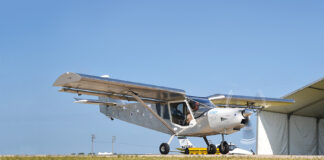

How to Buy, Install, and Use Starlink in Your Aircraft
The long cross-country got quiet somewhere over Nebraska when the last cell tower faded below the horizon. Email stopped updating, weather services went dark, and the kids in the back seats started asking if there was anything to do besides count corn fields. For builders who’ve spent years crafting aircraft capable of extended cross-country flying, that dead zone between departure and arrival has been the fi nal frontier—until now.
SpaceX’s Starlink 8,300+ satellite constellation has opened internet access to pilots in ways that seemed impossible just a few years ago. What started as rural broadband for remote farms has become a legitimate option for experimental aircraft , bringing streaming speeds, real-time weather, and full connectivity to altitudes where cell service never reaches. The hardware works, the pricing makes sense for many builders, and the installation—while not trivial—is within reach of anyone comfortable with basic avionics and electrical work.
The Hardware: What You’re Buying
Starlink for aircraft comes in three configurations, each with distinct capabilities and price points. At the bottom end, the Starlink Mini represents the entry point for homebuilders. Measuring roughly 11.5 by 10 inches and weighing about 2.5 pounds with cables, the Mini draws 20-40 watts of power and delivers download speeds between 50-100 Mbps. It’s designed as a portable unit, meaning no permanent installation or STC approval—you set it up in, say, a back window, where it can see the sky and connect through Wi-Fi.
The standard Starlink Aviation terminal steps up to serious hardware: 22.6 inches square, 13 pounds without cables, requiring 60-100 watts of continuous power. This is the unit most business jets install, and it delivers 100-250 Mbps download speeds with better reliability than the Mini. But it requires permanent installation, professional wiring, and supplemental type certificate approval for certified aircraft. For experimental aircraft, the regulatory path is cleaner, but the installation commitment is substantial.
At the top end, Starlink’s High Performance terminal measures the same as Aviation but weighs 15 pounds and can pull up to 180 watts. It’s designed for harsh environments and high-speed operations, with enhanced weather resistance and better tracking capability. Most homebuilders won’t need this level of performance, but it’s available for builders prioritizing maximum capability over cost and complexity.
Power and Mounting—The Practical Details
Every Starlink terminal needs clean DC power and an unobstructed view of the sky. The Mini runs on 12V or 24V through a standard power adapter, making it compatible with most homebuilt electrical systems without modification. Power draw varies with usage but typically runs 25-35 watts during operation—comparable to a small LED landing light.
The Aviation and High-Performance terminals require more substantial power planning. Both operate on 28V DC and can pull signifi cant current during startup and satellite acquisition. For aircraft with 12V systems, this means adding a DC-DC converter, additional circuit protection, and careful load analysis to ensure the alternator and battery can handle the demand. Installation also requires running proper gauge wiring from the power source to the terminal location, with appropriate circuit breakers and fusing.
Mounting options depend on the terminal and the aircraft. The Mini works as a portable device—many builders simply place it on a rear seat or in the baggage compartment during flight, using the included kickstand to angle it toward available windows. More sophisticated installations use window-mounted suction cups or custom brackets to secure the unit while maintaining signal quality. It is important to note that Starlink needs to see the sky, so merely sticking it to a window won’t work if the sky is obscured by the airframe.
The larger terminals require permanent mounting, typically on the aircraft’s upper fuselage. This involves structural analysis, antenna placement modeling, and often custom fabrication to create a mount that maintains the terminal’s environmental seals while providing necessary RF transparency. The installation isn’t trivial, but it’s well within the scope of work most builders tackle during avionics installation. As builder, you will need to document to the FAA Inspector or DAR that the Starlink installation and signal does not interfere with any other installed avionics.
Service Plans and the Cost of Connectivity
Starlink’s service tiers reflect the difference between casual use and serious connectivity. The Roam plan, the plan for aviation for aircraft under 450 kts, is available for the Mini, costs $50 monthly for 50 GB of data, might be adequate for light aircraft. The Roam Unlimited eliminates the data cap but costs $165 per month.
The hardware cost varies dramatically by terminal type. The Mini retails for $599, making it accessible for most builders. Aviation terminals can cost $20-$30,000. For homebuilders, the Mini represents the sweet spot between capability and cost—enough performance for real connectivity without the expense of FAA certified aviation hardware.
Installation Considerations for Homebuilts
Mounting Starlink in an experimental aircraft involves balancing performance, convenience, and safety. The simplest approach uses the Mini as a portable device, secured during flight but removable for ground use. This eliminates permanent installation work while providing full connectivity capability.’
More integrated permanent installations require careful antenna placement. The terminal needs clear sky visibility throughout the aircraft’s operating envelope, which typically means upper fuselage mounting away from control surfaces and antennas. The installation also needs to maintain the aircraft’s weight and balance envelope—13-15 lbs in the wrong location can significantly affect handling characteristics.
Electrical integration deserves particular attention. Most homebuilts use 12V or 14V systems, while Aviation terminals require 28V DC. This necessitates voltage conversion hardware, proper load analysis, and often alternator or battery upgrades to handle the additional electrical demand. The Mini’s lower power requirements make electrical integration simpler, typically requiring only a clean 12V connection and appropriate circuit protection.
Real-World Performance
Pilots report surprisingly good performance from properly installed Starlink systems. Download speeds of 100-200 Mbps are common at cruise altitudes, with upload speeds typically 10-20% of download rates. Latency runs 20-60 milli-seconds—acceptable for most applications including voice calls and light gaming.
The system works best above 10,000 feet with clear weather and minimal maneuvering. Steep turns, climbs, and descents can temporarily interrupt connectivity as the terminal loses satellite lock, but restoration typically occurs within 30-60 seconds. Weather affects performance, with heavy precipitation causing noticeable speed reductions.
Geographic coverage spans most inhabited areas, with weaker performance over oceans and polar regions. For typical domestic flying, connectivity remains strong throughout the continental United States and southern Canada. International coverage varies but generally provides adequate service over populated areas.
Installation Tips and Gotchas
Successful Starlink installation requires attention to several practical details. Terminal placement needs to balance RF performance with aircraft handling— the unit’s weight and size can affect both balance and aerodynamics if poorly positioned. Many builders mount the terminal as far aft as possible to minimize CG impact while maintaining sky visibility.
Cable routing requires care to avoid interference with aircraft systems and moving control surfaces. The terminal’s power and data cables are substantial— proper routing, strain relief, and securing prevent chafing and fatigue failures that could disable the system or create safety hazards.
Ground testing proves essential before first flight. The terminal requires several minutes to acquire satellites and establish connection, during which it draws peak power and generates heat. Verifying electrical system performance, cooling adequacy, and proper RF function on the ground prevents discovering problems at altitude.
The Bottom Line: Is Starlink Worth It?
For homebuilders who fly regular cross-countries, Starlink Mini offers compelling value. At $599 hardware cost and $50-165 monthly service, it provides real internet connectivity for less than many avionics options cost.
The installation requires minimal modification and no regulatory approval, making it accessible to most builders. The larger Aviation terminals make sense for builders who prioritize maximum performance and don’t mind the expense and installation complexity. But for most homebuilders, the Mini provides adequate capability at reasonable cost—finally bringing that dead zone over Nebraska back to life.
The technology works, the price is reasonable, and the installation is manageable. For builders who’ve spent years perfecting their aircraft’s capability, adding reliable internet connectivity represents the natural next step in making personal aviation truly practical for the connected age.